 TM Hub
Cash register (POS)
A register where cash never “disappears”
Shifts, every kind of payment, returns and real profit — on one simple screen.
01
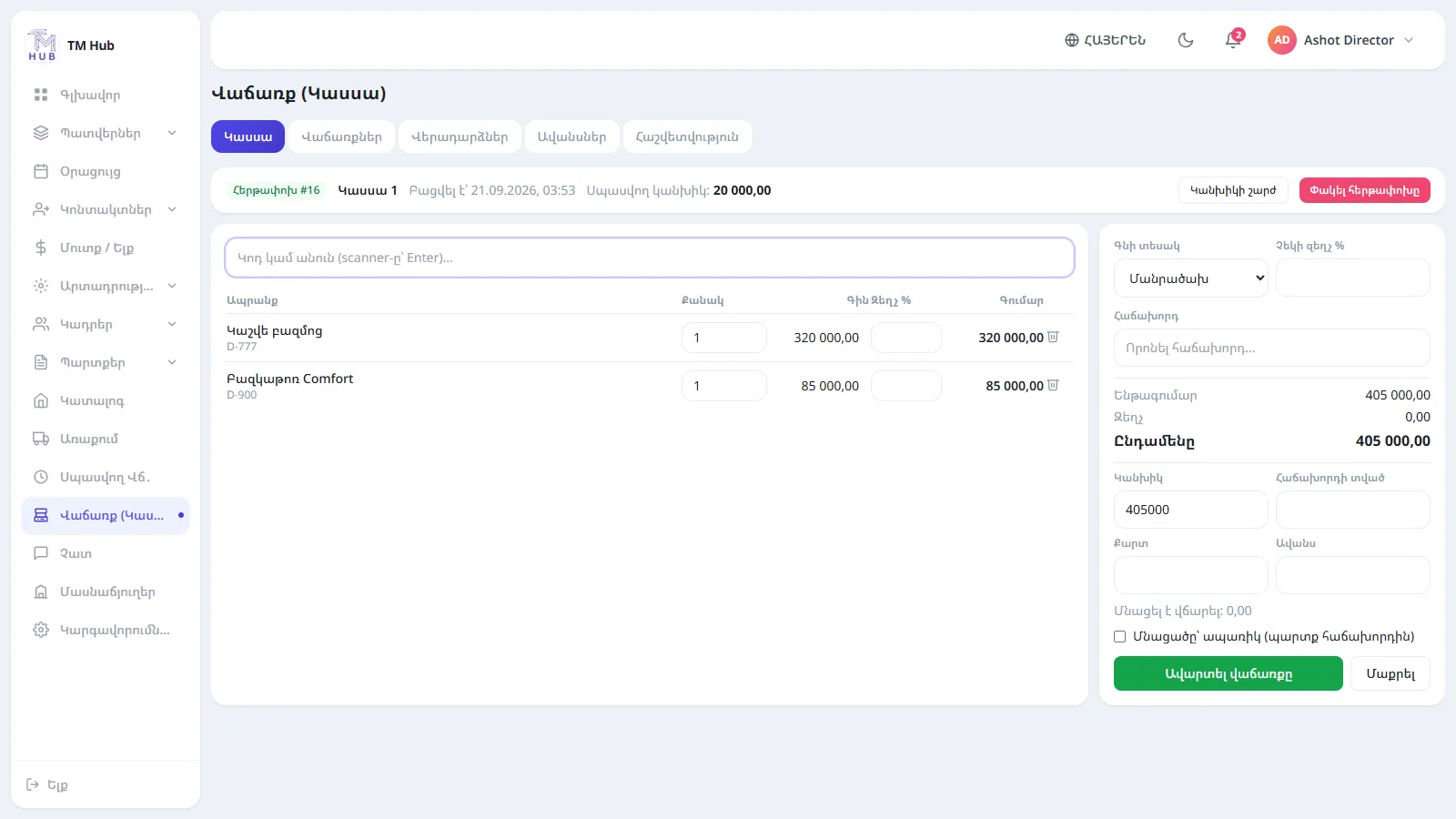
Fast selling
Find the product by code (Enter for a scanner) or name, add it to the cart, apply a discount and finish. Retail and wholesale prices.
- Discounts per line and per receipt
- Discount limit per employee
- Protection against double sales
02
Any way to pay
Cash (with change), card, advance account, split payment or instalments — the unpaid part becomes the customer’s debt.
- Customer advance account
- Instalments with a due date
- Internal receipt and fiscal number attachment
03
Shifts and returns
On closing, the system compares expected and counted cash and notifies the director of any difference. An employee’s return request is approved by the director.
- Cash put in / taken out
- Returned goods go back to stock
- Z-report per shift
04
Profit by cost
Cost is calculated by FIFO — from the oldest receipt. The director sees revenue, discounts, returns and profit by day and by product.
- Top products
- Payments by method
- Filter by branch, register, employee
FAQ
Answers before you ask
Can several people work on one register?
Can I sell with zero stock?
Pick your problem
See the register in action
A 30-minute walkthrough using your orders, warehouse and register. No obligation.
- A personal walkthrough
- We help configure and import your data
- A clear offer after the demo
Or write to us: info@tmhub.am